


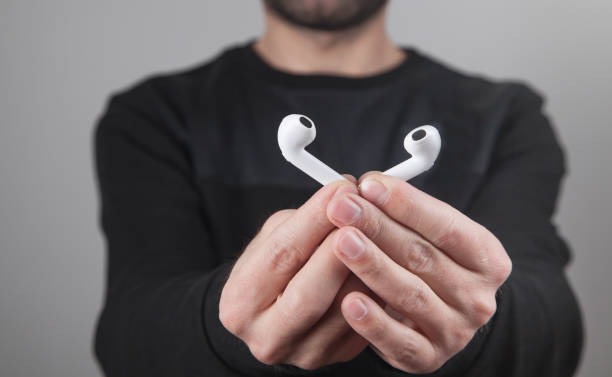
In 2025, Apple’s iconic AirPods turn 9. Over nearly a decade, they’ve become a vital part of the Apple ecosystem and transformed the way we experience wireless audio. But behind their minimalist design lies a suite of surprisingly powerful features that can make your listening experience as fascinating and smooth as a live betting experience on your favorite sports. Here are 10 hidden AirPods features that might just blow your mind.
Table of Contents
Share Audio with a Friend on the Go
Whether you’re traveling or waiting in line, you can now enjoy music or movies together using the Audio Sharing feature. This allows two pairs of AirPods or Beats headphones to connect to a single iPhone or iPad, streaming audio to both simultaneously. Each listener can control their own volume independently.
How to do it:
- Connect your AirPods or Beats to your device and put them on.
- Tap the AirPlay icon and select Share Audio.
- Bring your friend’s open case near your device and follow the on-screen prompts.
Auto-Lower Volume When You Speak
Your AirPods can detect when you’re talking and automatically lower playback volume so you don’t have to fumble with controls or yell over your music.
To enable:
- On your iPhone, tap on your AirPods in Settings.
- Turn on Conversation Awareness.
- You can also enable Adaptive Volume so your audio adjusts automatically to your environment.
Available on AirPods Pro 2 and AirPods 4 with ANC.
Eavesdrop or Monitor a Room With Live Listen
Turn your iPhone into a directional mic that transmits sound straight to your AirPods using Live Listen. It’s handy for:
- Hearing conversations through a door
- Better hearing from the back row in a lecture
- Using your iPhone as a baby monitor
How to use it:
- Add Live Listen to Control Center: swipe down, tap the +, and add it.
- Wear your AirPods, open Control Center, and tap the microphone icon.
- Place your iPhone near the sound source.
Works with AirPods 2, 3, 4, Pro (Gen 1 & 2), and AirPods Max.
Test Your Hearing with AirPods Pro 2
Thanks to the H2 chip, AirPods Pro 2 can now help assess your hearing and even assist like hearing aids.
To test your hearing:
- Wear properly fitted ear tips in a quiet environment.
- Go to Settings > AirPods > Hearing Test.
- Follow the instructions. Results will appear in the Health app and can be decoded via Apple’s website.
Have Siri Read Your Messages Aloud
Perfect for driving, cooking, or when your phone’s buried in a bag. Siri can read incoming messages aloud through your AirPods.
To enable:
- Go to Settings > Notifications > Announce Notifications and toggle it on while your AirPods are in use.
Listen to Music from Apple Watch Without an iPhone
Leave your iPhone behind! You can sync music to your Apple Watch and stream it directly to your AirPods. This feature is perfect for workouts or walks.
How:
- On your iPhone, open the Watch app.
- Go to My Watch > Music > Add Music.
- Select songs to sync. Once synced, just put on your AirPods and hit play on the Watch.
If you’ve already paired AirPods with your iPhone, they’ll auto-connect to the Watch too.
Use One Earbud as a Mono Headset
If you prefer using a single AirPod (to stay aware of your surroundings, for example), enable Mono Audio so you don’t miss half the sound.
To enable:
- Go to Settings > Accessibility > Audio/Visual > Turn on Mono Audio.
Control Calls by Nodding or Shaking Your Head
Owners of AirPods 4 or AirPods Pro 2 can accept or reject calls hands-free with subtle head gestures.
To set it up:
- Wear your AirPods and go to their settings on your iPhone.
- Scroll down to Head Gestures and turn it on.
- Nod to accept a call, shake to decline.
Customize Sound with Adaptive Audio and Conversation Boost
AirPods Pro can amplify voices in front of you, ideal for conversations in noisy spaces. Combined with Adaptive Audio, this makes your earbuds dynamically adjust to your surroundings.
Enable both in the AirPods settings under Accessibility > Audio Accessibility Settings.
Your iPhone Isn’t the Only Controller
AirPods work seamlessly with iPads, Macs, and even Apple TVs. When you switch devices, they follow you. But did you know you can:
- Rename your AirPods
- Set different press-and-hold functions for each stem
- View battery life in the Batteries widget or Control Center
Explore these extras under Settings > AirPods to fully personalize your experience.
